
Sign in with a provider
Emojery has no password to forget and asks for no email. You sign in once through a provider you already use, and stay signed in.
Reacting for the first time opens this flow on its own. You can also start it from the popup before you react.
- Open the popup and go to the Account tab, then click Sign in.
- Tick the consent box, then click Continue with the provider you want. Google, Apple and Microsoft are on the card; More sign-in options opens the rest, Twitch today.
- The provider's own sign-in window opens. Sign in there if you are not already, and approve the sign-in. Emojery asks the provider for nothing beyond the standard
openidscope: no name, no email, no picture. - The window closes on its own. You land on a confirmation page and can close it.
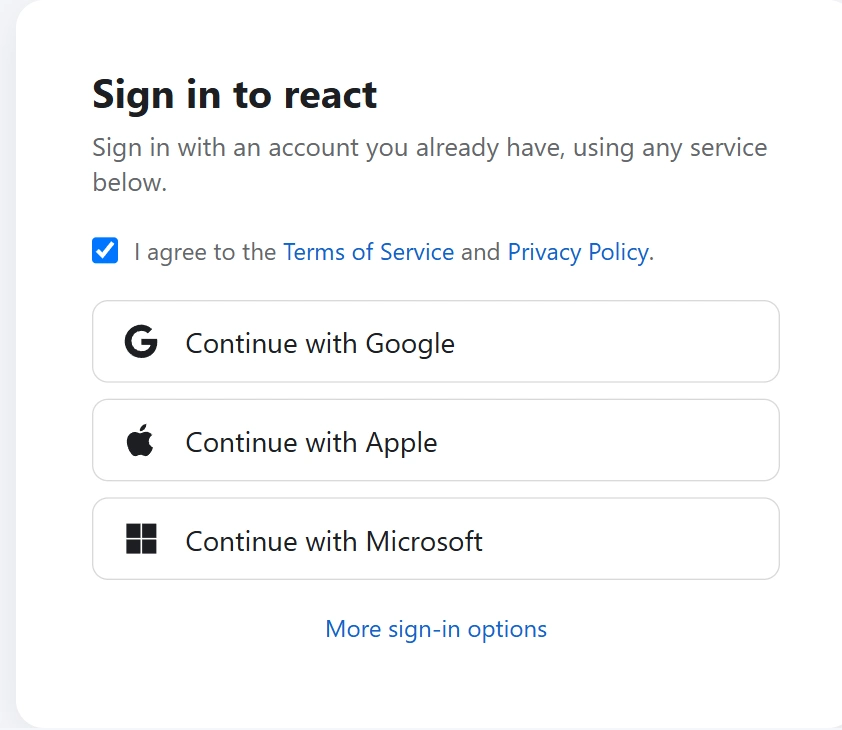
The provider window closed without signing you in
Sign-in was cancelled means the window was closed before the provider finished. Click the button again.
The provider refused the sign-in means the provider itself said no: a wrong password, a blocked account, or a consent screen you declined. Sort it out on the provider's side, then try again.
Could not enroll the account means the provider signed you in but Emojery could not finish registering the account. Nothing was created; wait a moment and try again, and report it from the popup if it keeps happening.
Which account you are signed in with
The Account tab names the provider you signed in through. 1 provider account is 1 Emojery account: signing in with a different provider, or a different account at the same provider, opens a second, empty Emojery account rather than yours.
What Emojery keeps about the account, and what the provider learns, is on How sign-in works.
Staying signed in
The session lives in your browser's extension storage, per browser profile, for 30 days. Signing in on a second browser shows the same reactions and the same counts, because the account is on the server.
A private or incognito window usually counts as a separate profile, so it may ask you to sign in again there.