
Browse your reaction history
Every reaction you make is written to a list in your own browser. The History tab is how you get back to something you reacted to last month.
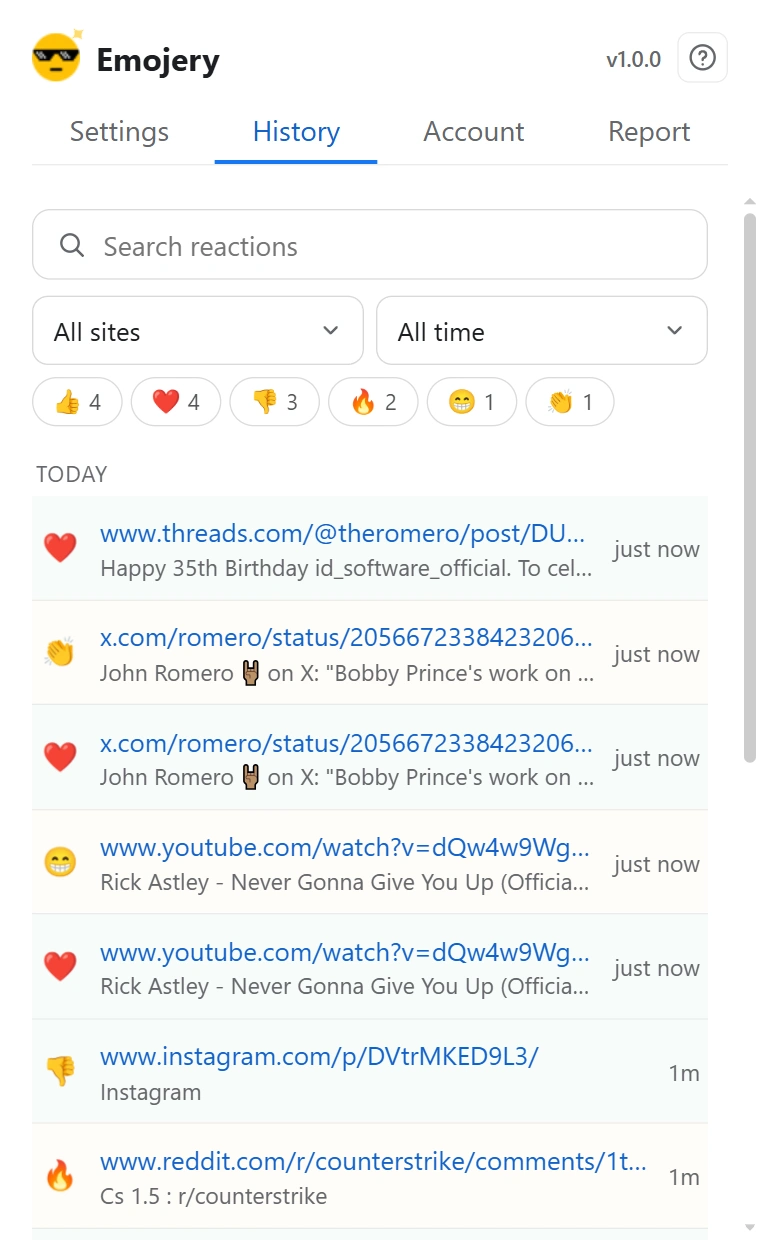
- Open the popup and go to the History tab. It asks you to sign in if you are not.
- Type in Search reactions to match on what you reacted to.
- Narrow by site with the site filter, which starts on All sites.
- Narrow by date with the range filter: Today, 7 days, 30 days, 1 year or All time.
- Narrow by emoji from the strip of the ones you use most, which expands to every emoji you have ever picked.
- Click a row to open the page it points at.
It never leaves your browser
The list lives in your browser's own extension storage and is never uploaded. Nothing is trimmed as it grows, which is what the unlimitedStorage permission is for.
The flip side: it is not backed up anywhere. Deleting your account or uninstalling the extension clears it, and there is no copy on a server to restore from. Export it to a file if it matters to you.
History is not the public record
This list is for you, and only you can see it. It is not what other people read, and it is not the public log either - that carries pseudonymous entries rather than a name or an account.