
React to a post
Adding a reaction is a couple of clicks. Changing or removing one costs the same, which is the part most people miss.
Add a reaction
- Open a supported page - a Reddit post, a YouTube video, a GitHub repository, an Amazon product.
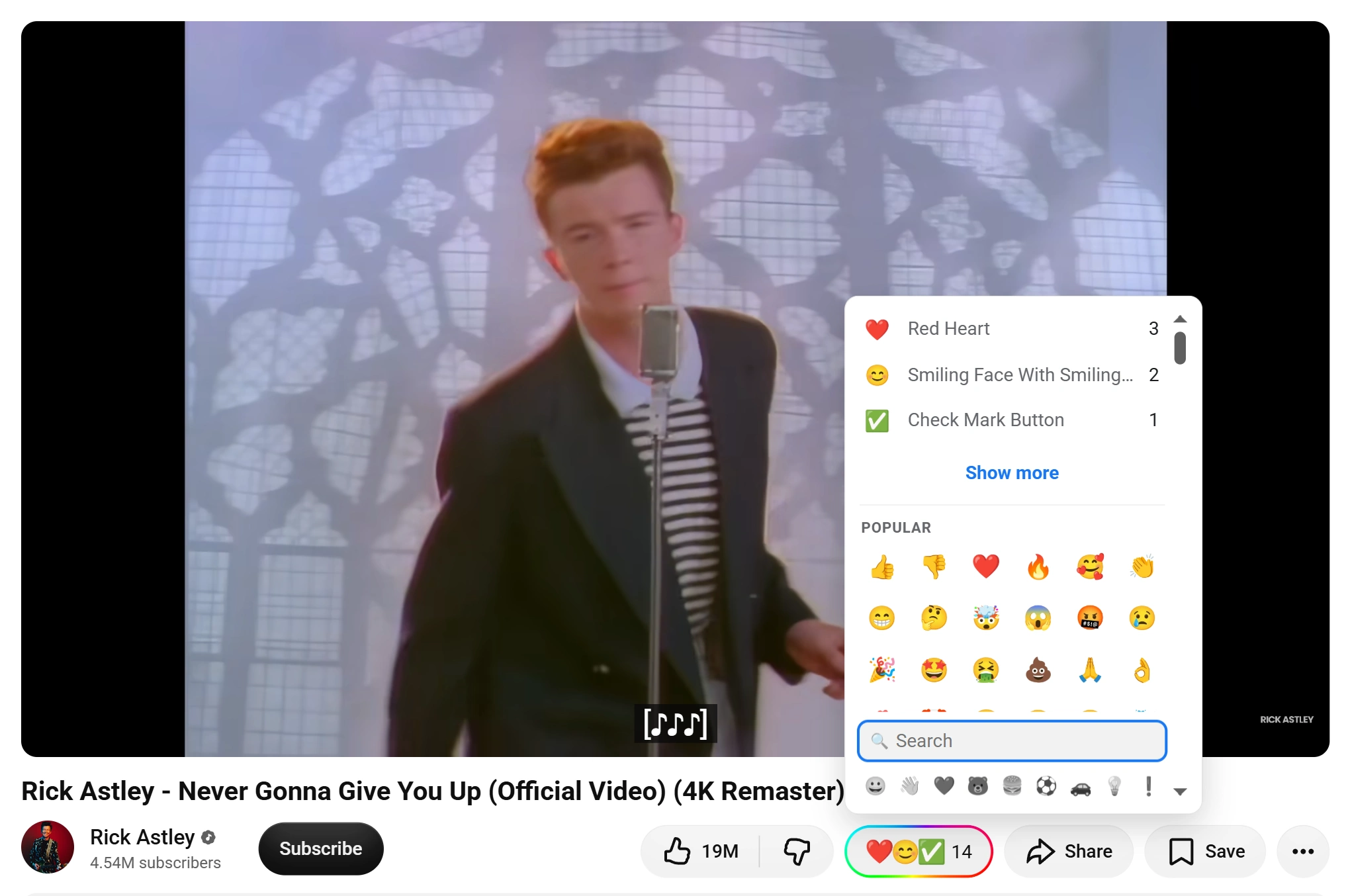
- Look for the Emojery button in the row the site already uses for Like, Star, Share or Vote. It shows a single 🙂 until somebody reacts, then the top 3 emoji and the running total.
- Click it. The picker opens on your recently used emoji and a Popular row.
- Click an emoji. The first time you ever react, Emojery asks you to sign in with a provider; after that it just counts.
Change it
One reaction per item per account, so picking a second emoji replaces the first rather than adding to it.
- Open the picker again on the same item.
- Click a different emoji. Your old one comes off the total and the new one goes on.
Take it back
- Open the picker on the item you reacted to.
- Click the emoji you already picked - it is the highlighted one. Clicking it again toggles it off and the total drops by 1.
Buttons appear as you scroll
On a long feed Emojery does not mount a button on every post at once. It waits until a post is near the part of the page you are reading. Scrolling down brings more buttons with it, which is what keeps a 200-post feed fast.
What other people see
The same 3 emoji and the same total, on the same item, whoever opens it. Nobody sees who picked what: there is no list of reactors, and the API has no endpoint that could produce one.
Reactions attach to the page rather than to a conversation, so a link you send someone carries them.